A Careful Control Loop
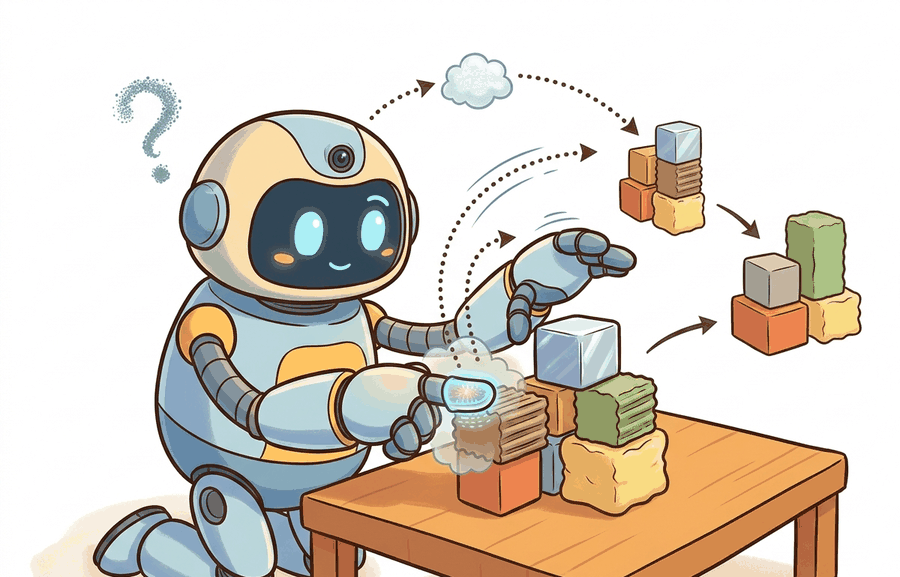
Tactile and force/torque sensing (GelSight, DIGIT): preview is one lens on sensors, perception hardware, and state estimation. We study it because an embodied agent needs decisions that survive contact with noisy sensors, delayed effects, and changing environments.
This section develops the technical contract for Tactile and force/torque sensing (GelSight, DIGIT): preview into a usable mental model. First we define the object of study, then we connect it to the agent loop, then we test it with a compact implementation.
The key question in Tactile and force/torque sensing (GelSight, DIGIT): preview is practical: what must the agent know, what can it observe, what action is available, and what evidence shows that the action worked under the stated conditions?
A representation earns its place when it changes the measurable action interface. In Tactile and force/torque sensing (GelSight, DIGIT): preview, the reader should keep asking which decision becomes easier, safer, or more reliable.
Theory
For Tactile and force/torque sensing (GelSight, DIGIT): preview, the practical design rule is to make the interface inspectable before optimization begins: inputs, outputs, units, latency, bounds, and failure labels should all be visible in the saved artifact.
The mechanism in Tactile and force/torque sensing (GelSight, DIGIT): preview is the contract between representation and action. Name what enters the module, what leaves it, which assumptions make that transformation valid, and which log would reveal a bad handoff.
Worked Example: Force/Torque Sensor Noise and Contact Detection
A six-axis force/torque sensor at a robot wrist reports three forces and three torques: $(F_x, F_y, F_z, T_x, T_y, T_z)$. Even with no contact it never reads exactly zero. There is per-channel noise, and there is a slowly drifting bias from temperature and from the unmodeled weight of the tool past the sensor. Contact detection is a hypothesis test against this noise floor: a force is real only when it exceeds a threshold set a few standard deviations above the resting noise, otherwise the gripper will trigger on its own sensor jitter. The same logic governs tactile arrays like GelSight and DIGIT, where each taxel carries its own noise and the contact decision is a per-pixel threshold against a no-contact baseline.
# Force/torque sensor: a resting 6-axis sensor still reads nonzero noise.
# Set a contact threshold from the measured noise floor.
import numpy as np

rng = np.random.default_rng(2)
# Per-channel noise std: forces in N, torques in Nm.
ft_sigma = np.array([0.10, 0.10, 0.10, 0.005, 0.005, 0.005])
resting = rng.normal(0.0, ft_sigma, size=(500, 6))   # 500 no-contact samples

noise_floor = resting.std(axis=0)
threshold = 5.0 * noise_floor          # 5-sigma contact decision boundary

# A new reading with a small genuine push in +Fz.
reading = np.array([0.03, -0.05, 0.62, 0.001, 0.002, -0.001])
contact = np.abs(reading) > threshold

print("noise floor (Fx..Tz):", np.round(noise_floor, 3))
print("5-sigma threshold   :", np.round(threshold, 3))
print("channels in contact :", np.where(contact)[0]) # expect channel 2 (Fz)The fragment should keep contact threshold, force direction, taxel or image coordinate, timestamp, and gripper state visible. Tactile SDKs and ROS logs are useful only when the contact contract is explicit.
Practical Recipe
- Write the observation, action, and success metric before choosing a model.
- Build a baseline that is simple enough to debug by inspection.
- Add the library implementation only after the baseline behavior is understood.
- Record failures as structured cases: perception error, state error, planning error, control error, or evaluation error.
- Run at least one perturbation test before trusting the result.
The common mistake in Tactile and force/torque sensing (GelSight, DIGIT): preview is to celebrate the component score before checking the closed-loop handoff. The failure usually appears at the boundary: stale state, wrong frame, delayed action, saturated actuator, or metric that ignores the real task cost.
A robotics team using Tactile and force/torque sensing (GelSight, DIGIT): preview should log not only final success, but intermediate observations, chosen actions, controller status, and recovery events. The logs reveal whether the method is solving the task or merely passing the easiest episodes.
A good embodied system makes tactile and force/torque sensing (gelsight, digit): preview visible twice: once in the design sketch and once in the replay artifact. The second view keeps the first one honest.
For Tactile and force/torque sensing (GelSight, DIGIT): preview, treat frontier claims as hypotheses until they expose enough detail to reproduce the result: data boundary, embodiment, controller interface, evaluation panel, and failure cases.
Can you name the observation, state estimate, action, success metric, and most likely failure mode for Tactile and force/torque sensing (GelSight, DIGIT): preview? If not, the system boundary is still too vague.
Production Pattern
Tactile and force/torque sensing (GelSight, DIGIT): preview sits inside the Part II robotics contract: geometry defines where things are, kinematics defines what motion is possible, dynamics defines what motion costs, control defines how errors are corrected, and sensing defines what the agent can know on time.
Tactile and force signals are local, noisy, and contact-dependent, so they need calibration and contact context. This makes the section useful to students, builders, and researchers at the same time: the idea has an intuitive role, a formal interface, a runnable check, and a failure mode that can be reproduced.
For Tactile and force/torque sensing (GelSight, DIGIT): preview, state estimation converts imperfect observations into a belief usable by control. Preserve calibration, covariance, timestamp, frame, dropout behavior, and latency.
| Tool or Library | What It Handles | Verification Check |
|---|---|---|
| OpenCV | handles camera models, calibration, projection, and vision preprocessing | Verify intrinsics, distortion, image timestamp, and frame-to-camera transform. |
| ROS 2 robot_localization | fuses odometry, IMU, GPS, pose, and twist streams through ROS estimation nodes | Verify covariance, frame IDs, timestamps, and rejected measurement counts. |
| FilterPy | teaches and prototypes Kalman, extended Kalman, unscented, and particle filters | Verify process noise, measurement noise, innovation, and covariance growth. |
| Kalibr | supports practical work on Tactile and force/torque sensing (GelSight, DIGIT): preview | Verify the library output against the hand-built baseline on one small case. |
| Open3D | supports practical work on Tactile and force/torque sensing (GelSight, DIGIT): preview | Verify the library output against the hand-built baseline on one small case. |
Use this recipe when turning Tactile and force/torque sensing (GelSight, DIGIT): preview into code, a simulator experiment, or a robot diagnostic. The point is not to use every library. The point is to keep the hand-built baseline and the maintained-tool path comparable.
- Define each sensor message with units, frame, timestamp source, calibration file, and covariance meaning.
- Run a static test, a slow-motion test, and a dropout test before fusing streams.
- Compare the hand filter with FilterPy or ROS 2 robot_localization using identical measurements and noise settings.
- Log innovation, covariance, delayed messages, rejected measurements, and downstream control effect.
- Treat perception output as a belief with uncertainty, not as ground truth handed to the controller.
For Tactile and force/torque sensing (GelSight, DIGIT): preview, compare methods only through one saved artifact that preserves the inputs, outputs, units, timestamps, latency budget, configuration, seed, metric definition, and failure labels relevant to this section. The comparison is meaningful only when the same script evaluates the same panel.
Extend the section exercise by adding one perturbation specific to Tactile and force/torque sensing (GelSight, DIGIT): preview and one latency or uncertainty check. Save the result in the EvidenceRecord schema, then explain which library output you trust and why.
Contact sensing fails through hysteresis, saturation, skin wear, mounting compliance, delayed contact detection, and frame mismatch. Audit the contact event and force frame before blaming the grasp planner.
Technical Core
Tactile and force/torque sensing observes the part of the world that cameras often miss: what happens after contact. GelSight-like sensors infer surface geometry from deformation images, DIGIT-style fingertip cameras provide compact tactile images, and wrist force/torque sensors measure the net wrench transmitted through the arm. Figure 8.4.T summarizes the chain this section must preserve when moving from a teaching example to a real embodied system.
A wrist sensor measures a wrench $w=[f_x,f_y,f_z,\tau_x,\tau_y,\tau_z]^\top$ in its own frame, while a tactile imager produces an observation $I_t$ whose changes can be mapped to contact patch, shear, slip, or surface normal. The useful state is not only contact or no contact. It is contact location, normal force, tangential force, incipient slip, and whether the object is still controlled.
- Record a no-contact baseline and subtract bias before interpreting small forces.
- Map the sensor frame to the wrist, fingertip, or tool frame used by the controller.
- Apply known normal loads and tangential loads, then fit the scale and cross-axis coupling.
- Test slip with repeated grasps at different speeds and surface materials.
- Log raw tactile images or wrench vectors together with action commands and object motion.
| Sensor | Best Use | Failure Mode To Diagnose |
|---|---|---|
| GelSight-style tactile imaging | Local surface geometry, texture, contact patch, and small deformations. | Lighting drift, gel wear, saturation, contamination, and poor transfer across objects. |
| DIGIT-style fingertip sensing | Compact tactile images for grasping, manipulation, and slip detection. | Mounting changes, illumination shifts, limited field of view, and learned-model brittleness. |
| Wrist force/torque sensor | Net contact wrench during insertion, polishing, pushing, or guarded motion. | Bias drift, frame mismatch, overload, gravity compensation errors, and tool inertia. |
| Motor current or joint torque | Low-cost proprioceptive contact cue. | Friction, gear train effects, temperature, and poor spatial localization. |
Expected output is a contact trace that lines up with the action timeline: approach, first touch, load increase, slip onset, correction, and release. If the tactile signal is only evaluated as an image-classification score, the manipulation failure has already been abstracted away.
A tactile pipeline fails when it treats a changed gel, a different mounting angle, or a biased wrench baseline as if the contact model were unchanged.
Section References
Core references for Tactile and force/torque sensing (GelSight, DIGIT): preview: Modern Robotics; Murray, Li, and Sastry; Siciliano et al.; LaValle; and official documentation for Drake, MuJoCo, Pinocchio, CasADi, python-control, GTSAM, ROS 2, and OpenCV as applicable.
Use these references to check notation, frame conventions, units, solver assumptions, and maintained-library behavior.
Tactile and force/torque sensing (GelSight, DIGIT): preview is useful when it makes the perception-action loop more reliable, not when it merely adds a more impressive model name.
Design a method-matched experiment for Tactile and force/torque sensing (GelSight, DIGIT): preview. Specify the environment, observations, actions, metric, one perturbation, and the library output you would compare against the hand-built baseline.