"A robot first learns humility from friction."
A Careful Manipulation Loop
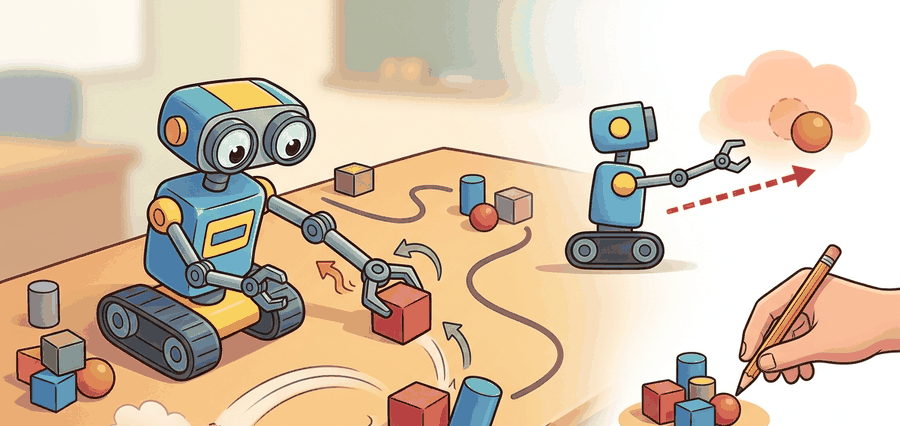
Manipulation starts when the robot changes object state on purpose and can explain the geometry, contact, and feedback path that made the change happen.
This section turns reaching and planar pushing into the first full manipulation contract: scene frames, object pose, pusher contact, motion primitive, and post-contact displacement.
It ties coordinate frames, Jacobians, and closed-loop control to the specific question every manipulator faces: did the object move to the intended pose, or did the arm only move itself convincingly?
Reaching is about putting the hand in the right place. Manipulation starts only when object state changes are measured and the controller can recover when the contact model is wrong.
Theory
For a point pusher, the control loop must maintain two simultaneous estimates: the end-effector pose in the world frame and the object pose in the contact frame. A clean implementation tracks both and transforms between them explicitly.
Under quasi-static contact, pushing quality depends on whether the commanded pusher velocity stays inside a feasible motion cone. That cone is only an approximation, but it is a powerful way to think about why some pushes translate, some rotate, and some simply slip.
$$ \Delta x_o \approx J_c(q)\,\Delta q,\qquad \hat x_{o,t+1} = f(\hat x_{o,t}, u_t, \hat c_t),\qquad \text{success} = \mathbf{1}[\|x_o^\star - \hat x_{o,T}\|_2 < \epsilon] $$
The robot senses the object and end-effector pose, predicts the next contact state under a short Cartesian move, executes a bounded push, and then validates object displacement against the goal. Failure is informative if the log preserves frame transforms, contact onset time, and object motion residuals.
- Localize the object and convert the target displacement into the pusher contact frame.
- Choose a pre-contact reach pose that avoids collisions and yields the desired push direction.
- Execute a short guarded reach, then apply a low-speed Cartesian push while monitoring force and slip.
- Estimate object translation and rotation after the push, then replan if the residual is above threshold.
Worked Example
# Compute a one-step push quality score from pose error and contact alignment.
import math

goal_dx = (0.08, 0.00)
pred_dx = (0.06, 0.01)
surface_normal = (0.0, 1.0)
push_dir = (1.0, 0.0)

err = math.dist(goal_dx, pred_dx)
alignment = push_dir[0] * surface_normal[1] - push_dir[1] * surface_normal[0]
score = round(max(0.0, 1.0 - 8.0 * err) * abs(alignment), 3)
print({"predicted_error_m": round(err, 3), "alignment": round(alignment, 3), "push_score": score})Expected output: The expected trace shows a small predicted object-motion error and a high alignment term. If the alignment collapses or the error rises, the push should be rejected before the arm commits to contact.
MoveIt Task Constructor can plan the guarded reach, while cuRobo or Drake can quickly filter collision-free arm trajectories. The local push policy still needs an explicit object-motion verifier, because most planners certify arm motion, not object displacement.
Practical Recipe
- Calibrate camera-to-base and tool-to-tip transforms before any push experiment.
- Log object pose before contact, at contact onset, and after release using the same frame convention.
- Start with short pushes on rigid objects before moving to clutter, deformables, or moving bases.
- Plot object displacement residuals beside controller forces so failed pushes separate geometry from friction issues.
- Add a regrasp or reapproach branch once the robot can diagnose off-axis contact reliably.
A beautiful arm trajectory can hide a useless manipulation policy. If only the tool path is evaluated, the robot can reach perfectly while never moving the object where it matters.
Warehouse depalletizing systems often use pushing as a rescue primitive when a top-down grasp is occluded or unstable. The reliable systems explicitly verify box displacement and only then attempt the next grasp.
If the table were covered with dry-erase marker, the real skill would show up as streaks on the object path, not on the robot arm path.
Recent manipulation stacks mix analytic contact heuristics with policy learning. The durable contribution is usually better contact-state supervision or better recovery logic, not replacing all of geometry with a larger network.
Can you name the world frame, object frame, contact frame, pusher velocity, and object residual metric you would inspect after a bad push?
Pushing exposes a foundational manipulation lesson: contact is an implicit state variable that has to be estimated from motion, force, and object response. Even in simple planar scenes, the same commanded action can yield translation, rotation, or slip depending on where the contact lands relative to the support polygon and friction cone.
For teaching, this section is a perfect bridge between kinematics and embodied intelligence. Students can predict object motion qualitatively with motion cones, then watch where the model breaks in the presence of friction uncertainty or pose-estimation error.
| Tool or Library | Role in the Topic | Builder Advice |
|---|---|---|
| MoveIt Task Constructor | Pre-contact reach planning | Use it to generate collision-free staging poses before local contact begins. |
| Drake | Contact-aware simulation and optimization | Use it when you need explicit kinematic and contact residual checks. |
| cuRobo | Fast seeded arm motion generation | Use it to replan many short approach trajectories when clutter changes quickly. |
Build a planar push benchmark with three objects, two contact points per object, and one held-out friction setting. Compare predicted and measured object displacement after every push.
When the object misses the target, ask in order: was the pose wrong, was the contact point wrong, did the controller slip, or did the object model fail? Saving those labels keeps pushing from collapsing into a single binary success score.
Section References
Modern Robotics, manipulation chapters
A compact reference for contact, kinematics, and manipulation mechanics.
Official planning and execution documentation for modern ROS 2 manipulation workflows.
GPU-accelerated perception and motion-generation stack for pick and place and related manipulation loops.
Manipulation begins when the robot measures and controls object-state change, not when the arm merely reaches a visually plausible pose.
Design a push benchmark with one geometric baseline, one learned residual model, and one friction perturbation panel. Explain exactly which artifact will prove that the object, not just the hand, moved correctly.